How to Use Focus Mode on Mac

It’s easy to let yourself get distracted by emails, notifications, and messages on your Mac. But do you ever wish there was a way you could block it all out while you work? The good news is you can! MacOS Monterey’s new ‘Focus Mode’ feature allows you to block out these distractions for a set period while you concentration on whatever it is you need to get done.
The notifications that are blocked won’t be lost either, once you’re ready to see them, just open the notifications centre and you’ll be able to view them all there.
How to Create a New Focus Mode
Here’s how to get started with your first focus mode:
- Open System Preferences and go to Notifications
- Select Focus and click the Focus Tab
- In the focus tab, click the Plus Sign (bottom left-hand corner)
- You’ll be able to choose from a few suggested focus names such as personal or work
- To create your own Focus name, click Custom and give your Focus a name, colour, and icon
- Finally click Add


Setting the Details of Your Focus
There may still be some contacts or apps that you still wish to get notifications from whilst in focus mode. Here’s how to allow those specific notifications to still reach you:
- Go to Notifications -> Focus
- Select the Focus you want
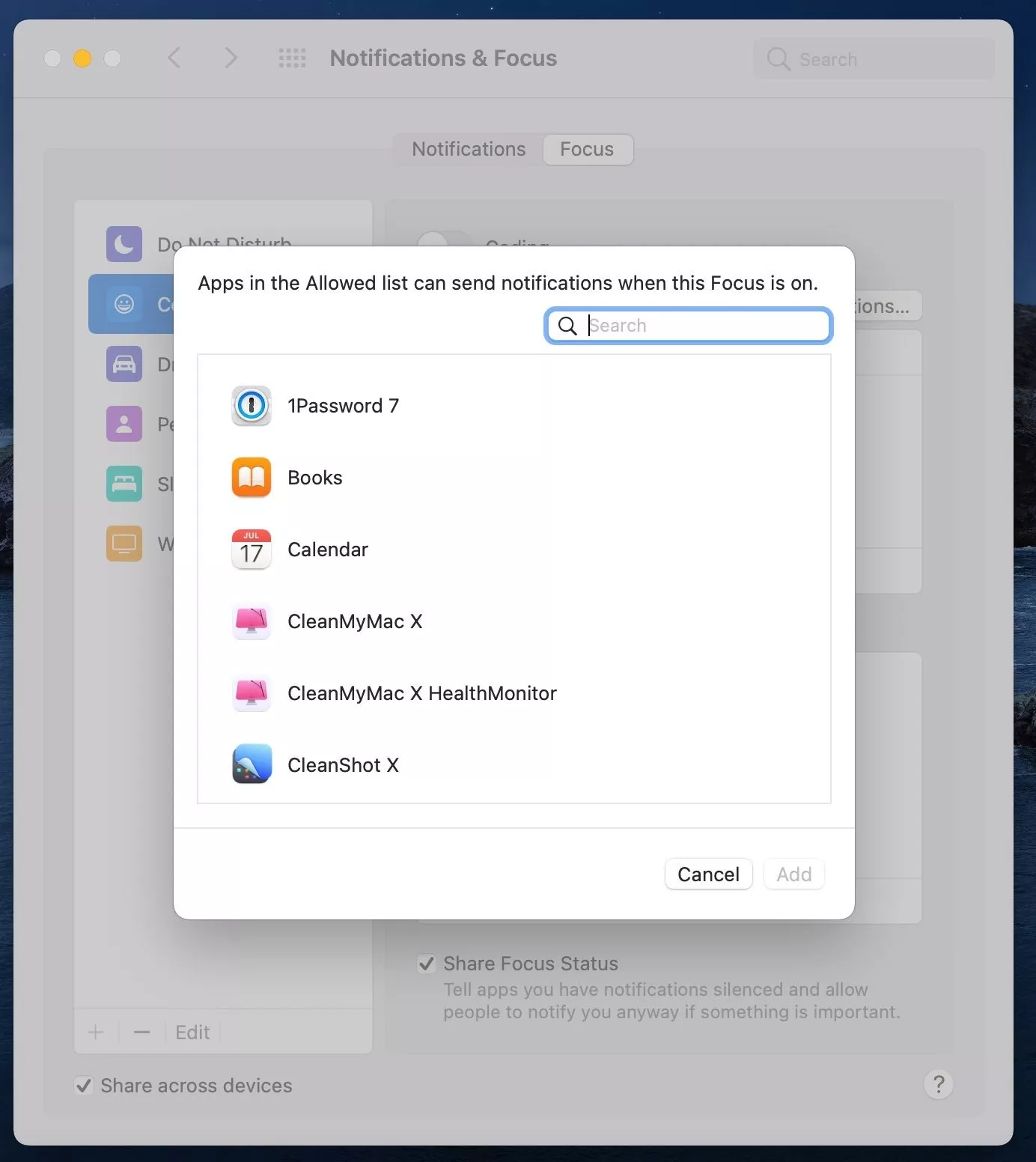
- From the Allowed Notifications menu, select People
- Then select the contacts that can are allowed to distract you while focus mode is on and click Add
- From the Apps menu, click on the Plus icon and simply select the apps that can send notifications while in focus mode

How to Set Focus Mode to be Turned On Automatically
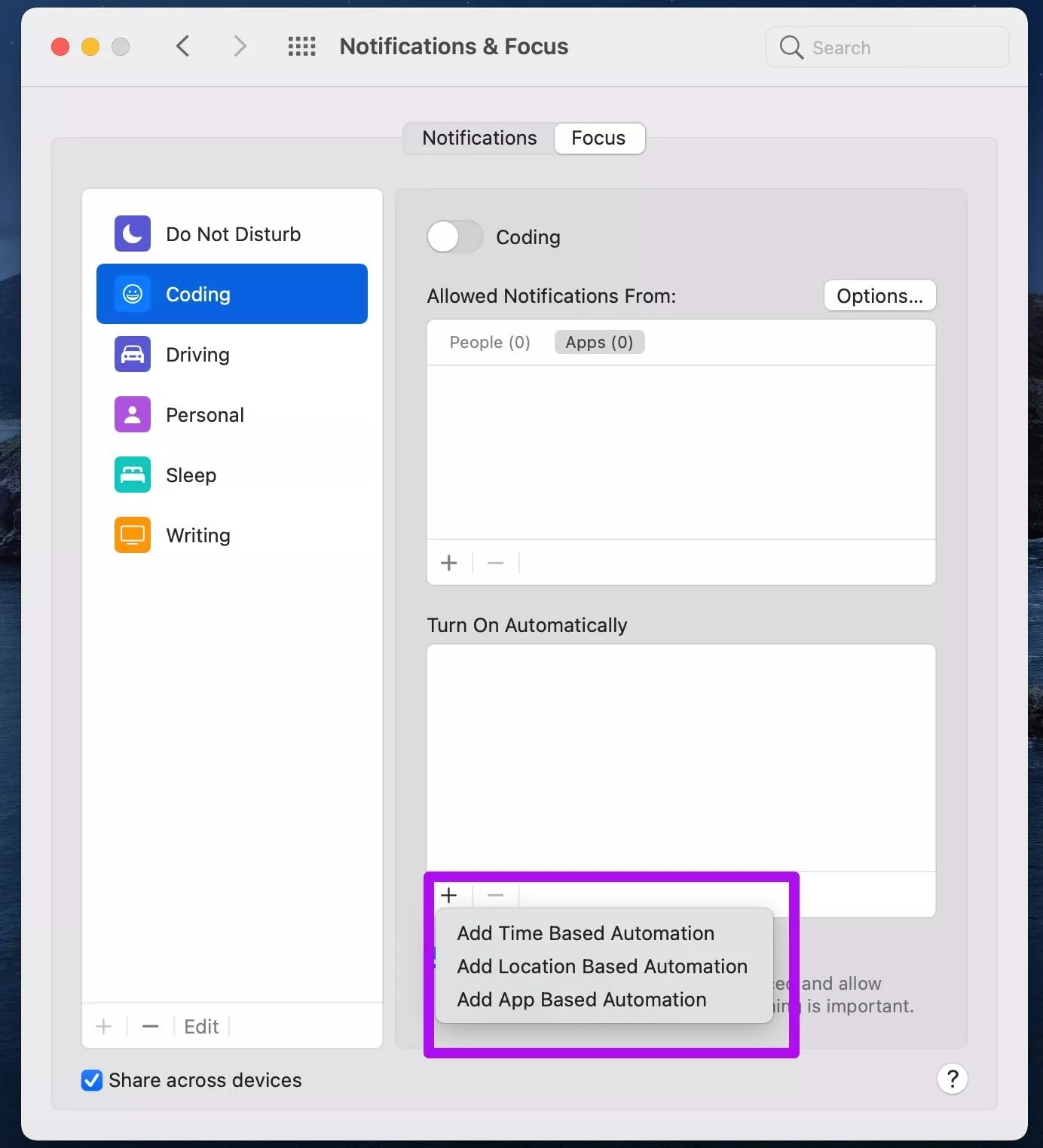
Focus mode also gives you the option to set it so that it can be turned on automatically based on a specific time, location, or app.
- In Notifications and Focus, select Focus
- Go to the Turn on Automatically menu
- Select the Plus icon
- Choose from either Time-Based Automation, Location Based Automation, or App Based Automation
- Then select the time, location, or app that you want